For the bag
Amazon Kindle Paperwhite 16 GB
Reading in the evening, while travelling or by the pool
Affiliate links. Learn more
New · New
LCD keypad and control dial (Pale Grey)
Ideal for: Creative shortcuts for photo and video.
See on AmazonLive price and availability on amazon.com.be
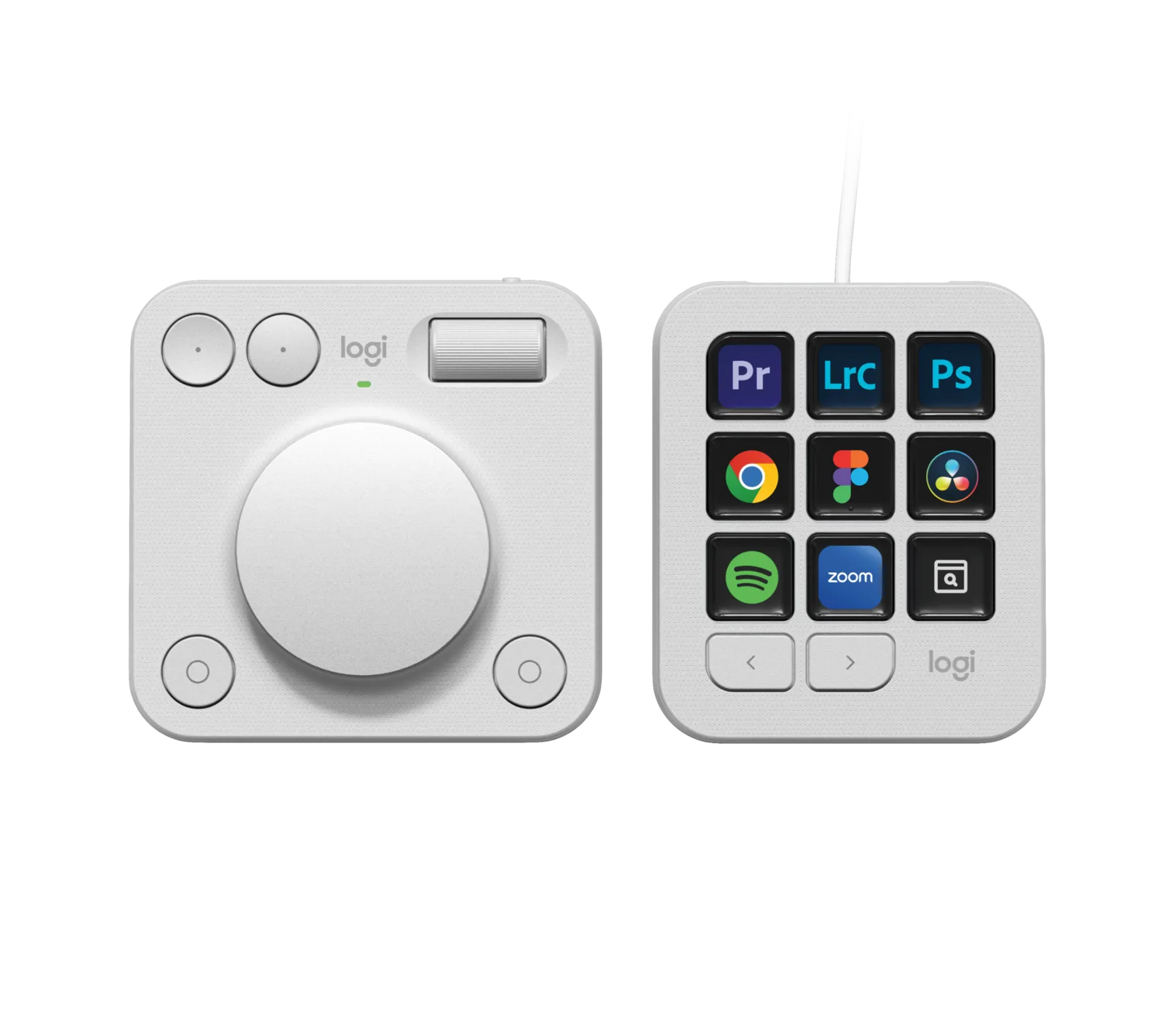
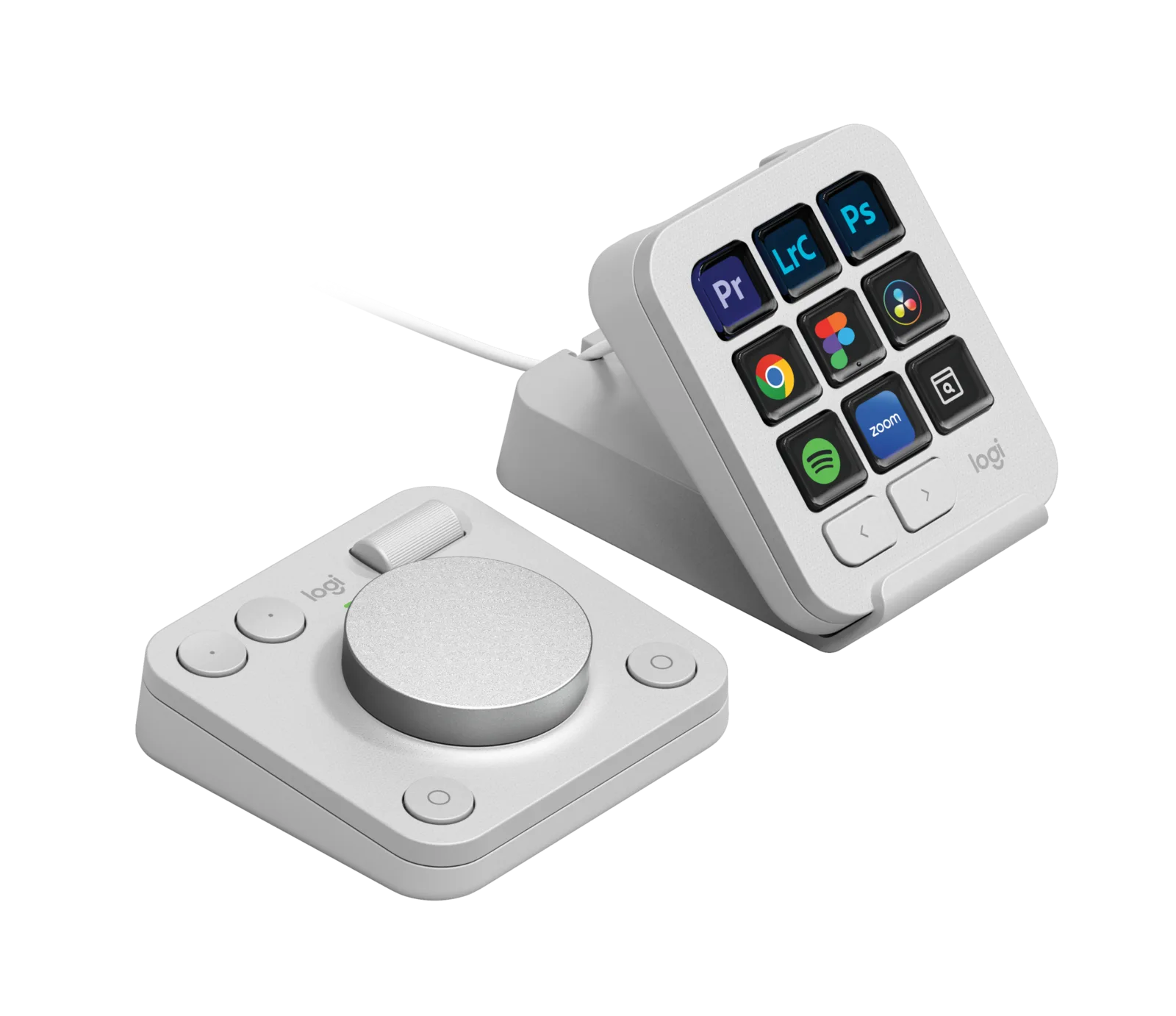
A Logitech desk duo: a keypad with 9 customisable LCD keys and a wireless dialpad with an aluminium dial. It puts the tools of Photoshop, Lightroom, Premiere Pro, Final Cut Pro or DaVinci Resolve one touch away.
Avoid ifYou don’t edit photos or video or do design work, you use Linux or a Chromebook (Logi Options+ only runs on Windows and macOS), or you want a fully wireless device: the keypad connects over USB-C.
1 / 3
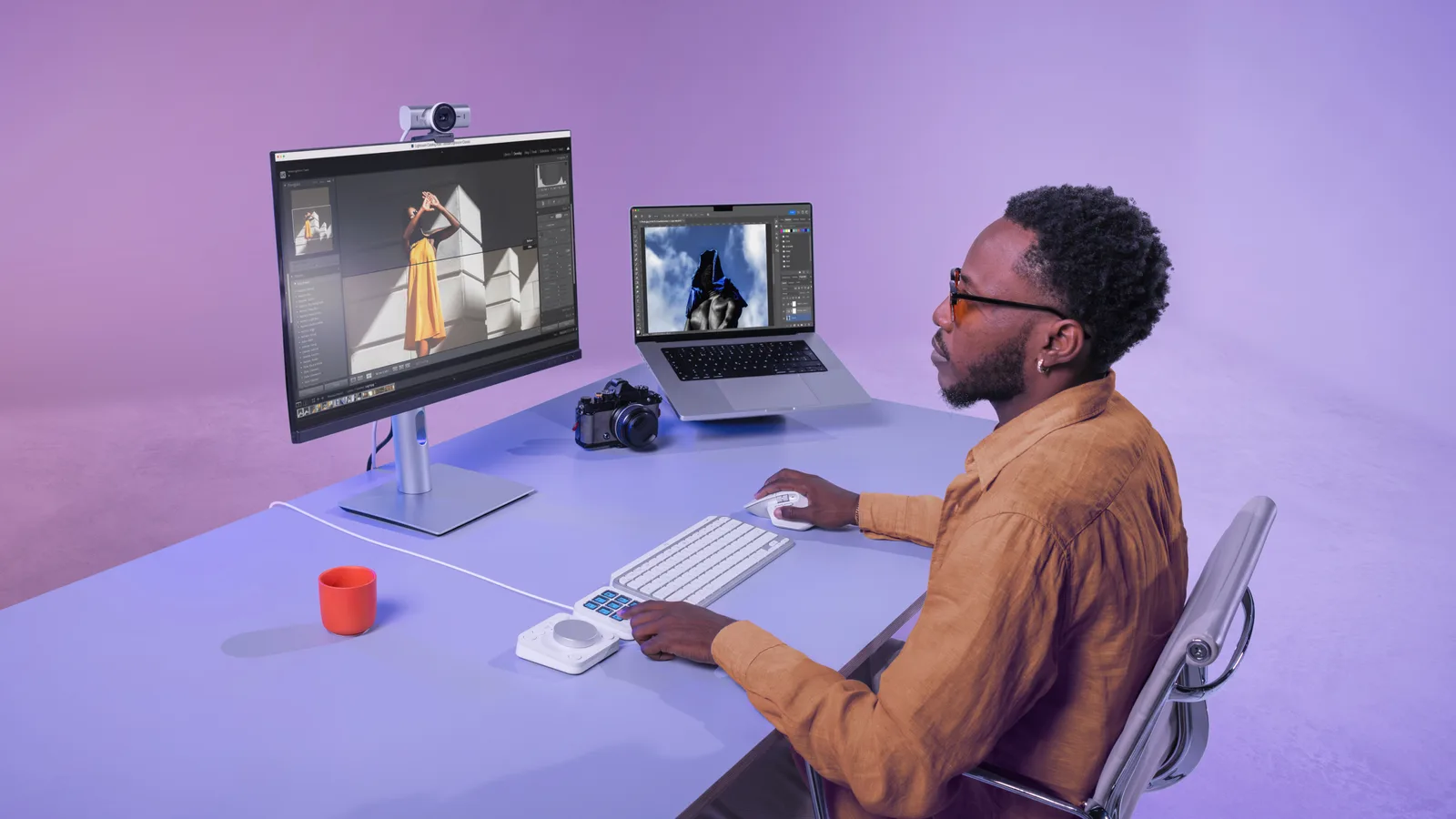
The Logitech MX Creative Console is a two-piece desk controller, made up of a keypad with 9 customisable LCD keys and a wireless dialpad with an aluminium dial, built for photographers, video editors and designers who spend their days in Photoshop, Lightroom, Premiere Pro or DaVinci Resolve. Your left hand stays on physical controls while your right hand keeps the mouse or pen.
This Logitech MX Creative Console review covers its design, daily use, key specs and who it suits (or doesn’t). We also briefly compare it with the Stream Deck, the alternative everyone thinks of first. It’s available in Pale Grey on Amazon.
The MX Creative Console follows the Logitech MX design language: soft shapes, a matte finish and a Pale Grey version that pairs nicely with a MacBook or a light wooden desk. The keypad is under 10 cm across and the dialpad is only slightly bigger, so the pair sits neatly to the left of your keyboard without cluttering the desk.
The dialpad’s centrepiece is a large, low-friction aluminium dial that draws both the eye and the hand. On the keypad, the 9 keys show icons for your tools and change with the app you’re using. It’s a small desk object worth leaving on display. According to Logitech, it’s made with recycled plastic.
In Lightroom, the dial adjusts exposure, contrast or white balance while the LCD keys switch between tools. In Premiere Pro or DaVinci Resolve, it scrubs the timeline, and the dialpad’s roller and 4 buttons handle your most frequent actions. Logitech lists integrations with Photoshop, Lightroom, Premiere Pro, Illustrator, Final Cut Pro, DaVinci Resolve, Figma, Zoom and Spotify.
Everything is set up in the free Logi Options+ app. According to Logitech, you can create up to 15 pages of keys per app and flip through them with the keypad’s 2 page buttons. The Logi Marketplace offers ready-made plugins, profiles and icons, which helps if you don’t want to configure everything yourself.
The keypad has 9 customisable LCD keys and 2 page buttons. It measures 91.7 × 77.9 × 25.5 mm, weighs 96 g and connects to your computer with a USB-C cable. The dialpad measures 92.1 × 93.7 × 33.8 mm and weighs 128 g. It combines an aluminium dial, a roller and 4 buttons, connects over Bluetooth LE and runs on 2 AAA batteries.
The console works with Windows and macOS via Logi Options+. It comes in Pale Grey (the model on this page) and Graphite. Check which colour is available on Amazon.
It’s aimed at creatives who edit regularly: photographers in Lightroom, video editors in Premiere Pro or Resolve, designers in Illustrator or Figma. If you want a Stream Deck alternative that’s more geared to creative work, with a real analogue dial, this is exactly what it’s for. It also makes a great gift for a creative who works from home.
Skip it if you only do office work: a keyboard with a few programmable keys will do. It also isn’t designed for Linux or ChromeOS, since Logi Options+ only runs on Windows and macOS. And if you mainly want to control a live stream with lots of keys, a dedicated streaming keypad is a better fit.
Yes, if you spend a lot of time in Photoshop, Lightroom, Premiere Pro or DaVinci Resolve: the 9 LCD keys and the aluminium dial replace many keyboard shortcuts. If you mostly do office work, you won’t make the most of it.
Both offer customisable display keys, but the MX Creative Console adds a wireless dialpad with an aluminium dial, a roller and 4 buttons, designed for fine adjustments in photo and video editing. It’s aimed at creatives first rather than streamers.
Yes, it works with macOS and Windows through the free Logi Options+ app. It isn’t designed for Linux or ChromeOS.
Only partly. The dialpad is wireless, connecting over Bluetooth LE and running on 2 AAA batteries. The LCD keypad connects to your computer with a USB-C cable.
Logitech lists integrations with Photoshop, Lightroom, Premiere Pro, Illustrator, Final Cut Pro, DaVinci Resolve, Figma, Zoom and Spotify, among others. The Logi Marketplace adds extra plugins and profiles.
A speaker, an e-reader, a pocket camera: three objects you can leave out on display, and that genuinely earn their place every day.
Three beautiful, useful tech objects for the desk and the homeLogitech MX Creative Console
See on AmazonLive price and availability on amazon.com.be